Field Notes on Harness Design: Tools
Two years of tool design for an open-source agent in production, distilled: the SIC trifecta (Selection, Invocation, Completion), why fewer tools win, schema as prompts, results as steering instructions, and what it means to design for AI instead of humans.
Why is this so long? This started as a chapter of a book on agent harness design that I’ve been writing on and off. Somewhere along the way I realized that at the pace this field moves, a book is out of date before it reaches print, and this chapter was already useful on its own. So it’s an article now. It’s a long one, roughly 40 minutes if you read it top to bottom, and it’s written like a chapter: it builds up a vocabulary (the SIC trifecta) in the first two sections and then leans on it for the rest. You don’t have to read it in order though. Use the table of contents below to jump to whatever is currently biting you. Almost every section is a real production diff from stakpak/agent, with the commit hash, so you can go look at the actual change. A few sections are still marked
[WIP], I’d rather ship this and fill those in than sit on it for another quarter. If you’ve read AX is the new DX, theboardcase study near the end will feel familiar, this is the longer story it came out of.
Table of contents
- 1. Giving LLMs hands: what a tool is, the four design parameters, and why the tool belt keeps changing
- 2. The SIC tool trifecta: the three ways tool use fails (Selection, Invocation, Completion) and the three goals that fall out of them
- 3. Fewer tools than you think (S + I + C)
- 3.1 MVT: start with a Minimum Viable Toolset
- 3.2 Combining tools: extend or add? how
viewabsorbed five tools - 3.3 Dynamic tool discovery: hundreds of integrations behind three tools
- 3.4 Creating CLI tools: hiding in-house features behind
run_command - 3.5 Retiring tools
- 4. Names the model can tell apart (S)
- 5. Descriptions and schemas are prompts (S + I): ten lessons, most of them one-line diffs from production
- 6. Results as hints (S + I + C): tool results are the best place to steer the agent mid-session
- 7. Concurrent tool calls (C)
- 7.1 Parallel tool call generation
- 7.2 Batching: why “parallel” tool calls should run sequentially, and how to tell the model
- 7.3 Background/Async tool calls
- 8. Reversible operations (I + C): backups and diffs in tool results
- 9. Deterministic workflows (C): distilling agent traces into code
- 10. Case study: designing
boardfor an agent: all of the above in one CLI - 11. Agent Experience (AX): the whole thing as one discipline
1. Giving LLMs hands
In 2024 our first agent iteration had just 2 tools run_command and ask_user. We called it Norbert. The Despicable Me minion wearing a tree leaf, the joke being with a minimal tool belt it still got the job done. Over a weekend it stood up a 3-tier web app on AWS, configured TLS with Let’s Encrypt, did linux server security hardening, and attempted to get root access on my machine.

The most important part of a harness is its tools, this is how LLMs get access to the external world, fetch additional context, and enable other harness design surfaces as you’ll see in following articles.
A tool is a simple function or procedure, with a name, description, input schema, and returns a string
# the exact schema varies a little between model providers
VIEW_TOOL = {
    "name": "view",
    "description": "Read a file or list directory contents. Cannot access paths outside the current working directory.",
    "input_schema": {
        "type": "object",
        "properties": {
            "path": {
                "type": "string",
                "description": "Relative path from current working directory to a file or directory",
            }
        },
        "required": ["path"],
    },
}

def view(path: str) -> str:
	# read a file or list dir content at path
    pass
This tool declaration is then passed to a model at inference time, to give it ways to interact with the external world
from anthropic import AnthropicBedrockMantle

# you don't have to use bedrock, any client would do
client = AnthropicBedrockMantle(aws_region="eu-north-1")

messages = [
	{
		"role": "user",
		"content": "Explore the current working directory",
	}
]

response = client.messages.create(
    model="anthropic.claude-haiku-4-5",
    max_tokens=1024,
    tools=[VIEW_TOOL],
    messages=messages,
)
A model then calls tools by generating the tool’s name and its input parameters. You handle the generated tool call message by routing to the matching tool call function
messages.append(
	{
		"role": "assistant",
		"content": response.content,
	}
)

if response.stop_reason == "tool_use":
	tool_calls = [c for c in response.content if c.type == "tool_use"]

	for tool_call in tool_calls:
		if tool_call.name == "view":
			# pass in all input params as args to implementation
			result = view(**tool_call.input)
		else:
			result = json.dumps({"error": f"Unknown tool: {tool_call.name}"})

		# append the tool call result for the following model call
		messages.append(
			{
				"role": "user",
				"content": [
					{
						"type": "tool_result",
						"tool_use_id": tool_call.id,
						"content": result,
					}
				],
			}
		)

	# call the model again (identical to the previous call, but with a new message)
	response = client.messages.create(
	    model="anthropic.claude-haiku-4-5",
	    max_tokens=1024,
	    tools=[VIEW_TOOL],
	    messages=messages,
	)
Notice that tool definitions are included in every single model call. LLMs are invoked with the whole context (system prompt + tool definitions + message history) every call, they’re stateless (except for caching of course).
Breaking this down we have four design parameters to work with:
- Name
- Description
- Parameters
- Response
Response shape is never declared to the model, that’s why Response is not an obvious design parameter, but it is as important as the other three! It’s one of the main levers to keep your agent on track, and allow the harness to recover from tool failures.
Tool design is iterative, a tool’s design parameters are something we tune in production. And LLMs have different preferences, so if you want to support different LLMs you’ll need to fine-tune your design for different models.
Tool design is dynamic, 178 commits and a few rewrites since Norbert, the number of tools in a harness’s tool belt expands, then contracts, then refines over time:
// One production agent's tool count over a year (~178 commits)
2 tools     ░░                       // genesis: just enough to be useful
5 tools     ░░░░░                    // editor toolkit for fine control
11 tools    ░░░░░░░░░░░              // + search, password, docs, rulebooks
14 tools    ░░░░░░░░░░░░░░           // + async/background tasks (4 tools)
16 tools    ░░░░░░░░░░░░░░░░         // + subagents, web fetching
15 tools    ░░░░░░░░░░░░░░░          // – generate_code removed
16 tools    ░░░░░░░░░░░░░░░░         // + remove with auto-backup
15 tools    ░░░░░░░░░░░░░░░          // – local_code_search removed
17 tools    ░░░░░░░░░░░░░░░░░        // + ask_user, split local/remote
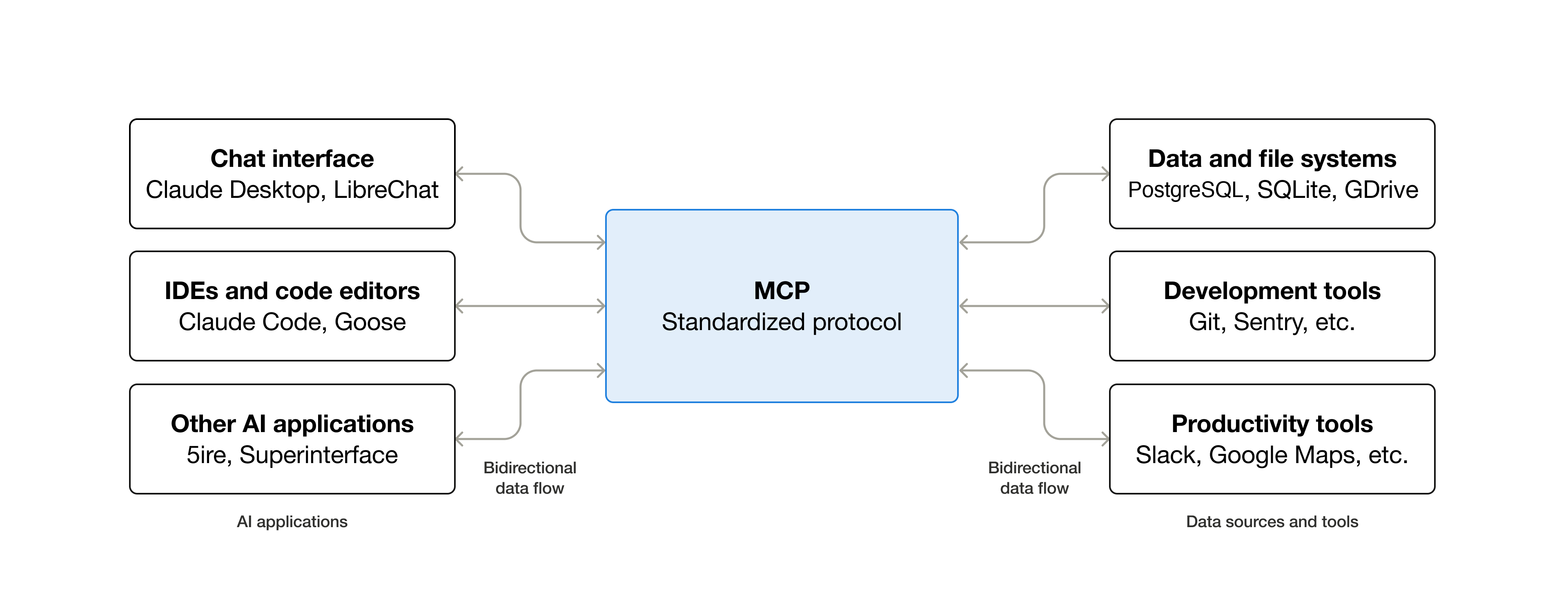
Your users can also bring in their own 3rd party tools using the Model Context Protocol (MCP). MCP started out standardizing how users can add 3rd party capabilities to clients that call models, and support the protocol. But as time went by, the most useful part of the protocol turned out to be just tool sharing, and slowly MCP evolved into supporting more tool calling features (e.g. progress streaming), and less other things (like the deprecation of resources and sampling). I personally see it more like a Model “Tool” Protocol.
2. The SIC tool trifecta
Tools can fail like any software we write, they require proper unit and end-to-end testing (depending on tool complexity) to make sure they work as expected. But when giving tools to agents three new failure modes arise:
Failing to select the right tool This happens when a model confuses tools with very similar names, overlapping capabilities, or misinterprets what a tool does.
A common case is capability overlap with a general-purpose escape hatch. A harness that ships read_file, edit_file, grep, and a run_command tool will routinely see the model reach for run_command with cat, sed, or grep instead of the dedicated tools, even when the system prompt explicitly says not to. The dedicated tools have richer responses (line numbers, diffs, structured errors) the harness needs to keep the agent on track, but to the model run_command looks like a single tool that already does all of it. The AMP Code team removed the read tool because they faced a similar issue, rather than fight the model they dropped the dedicated tool and let it use the terminal, going with the grain.
Failing to invoke the tool correctly The model picks the right tool but fails to generate required parameters, or generates parameters of the wrong type or value.
A real one we hit: our search_docs tool took a keywords parameter typed as an array of strings, like ["kubernetes", "ingress", "nginx"]. Older Claude models kept generating a space-separated string instead, "kubernetes ingress nginx", no matter how we worded the description or how many examples we put in front of them. At the time Anthropic didn’t have bounded decoding for tool calls, nothing forced the generated arguments to be valid against the schema, so the model was free to emit the shape it found most natural. We stopped fighting it. We changed the parameter type to a single space-separated string and did the splitting ourselves, and the invocation failures went to zero. The lesson: when a model reliably emits the wrong shape and you can’t decode your way out of it, reshape the parameter to match what the model already wants to produce.
Failing to finish efficiently The model picks the right tool and invokes it correctly, but takes more steps than it needs to.
Consider an edit_file tool that takes a single (old_string, new_string) pair. The model needs to rename a variable that appears in six places in a file, so it calls edit_file six times in sequence, six tool calls, six model turns, six chances for one of them to fail and leave the file partially-edited. Every call is valid, the agent just spends six round-trips on what one could have done. Part of this is the LLM being lazy, and part of it is the tool inviting the behavior by only accepting one edit. This could be fixed by simply adding a replace_all flag.
Tool design goals To counter these failure modes, I found myself optimizing for three goals again and again:
- Selection Accuracy: help the model pick the right tool
- Invocation Accuracy: help the model use the tool right
- Completion Efficiency: finish tasks with the fewest number of steps possible
3. Fewer tools than you think (S + I + C)
We always tend to overestimate the number of tools “needed” to accomplish a task. Like we did in 2024, you can build a full coding agent with just 2 tools.
The more tools you add the worse agent accuracy becomes, as a rule of thumb you should aim for ~20 tools.
This was not just our observation, others in the space observed the same degradation in agent performance as the number of tools grows:
“When varying the tool catalog size […] performance drops vary from 7.59% to 85.58%”
“Most models tested show significant degradation in performance when the number of tools are increased.”
Kate et al., IBM Research — arXiv:2505.10570 (Apr 2025)
“Large language models (LLMs) struggle to effectively utilize a growing number of external tools […] due to prompt bloat and selection complexity.”
Gan & Sun — arXiv:2505.03275 (May 2025)
“Aim for fewer than 20 functions available at the start of a turn at any one time, though this is just a soft suggestion. Use tool search to defer large or infrequently used parts of your tool surface instead of exposing everything up front.”
platform.openai.com/docs/guides/function-calling
Even with a huge context window, accuracy improves when the model is shown fewer tools. It’s a reasoning/attention problem, not just a context window utilization problem.
The problem is exacerbated if your harness supports MCP, users can and will abuse this by adding too many MCP servers, which will quickly degrade Selection and Invocation Accuracy. To make it less tempting at Stakpak, we buried this feature behind a flag.
3.1 MVT: start with a Minimum Viable Toolset
Pick a use case, then list the smallest set of tools that can do it end to end. Start there. Iterate with vibe-testing and real session traces. Vibe-testing here means making the change, running the agent through a handful of representative cases by hand, and watching what breaks. No formal eval, no scoring rubric, just quick feedback to feel out where the tool falls short.
Take a coding agent. The use case is “make changes to a codebase to satisfy a request.” Walk through what is actually needed:
- Read and change the world. A shell covers both, since
cat,ls,grep,sed,git, andnpmare already inside it. One tool:run_command. - Handle ambiguity when the request is underspecified. One tool:
ask_user.
That is two tools. It is also exactly what Norbert had in 2024, and it was enough to stand up a 3-tier web app on AWS over a weekend.
You can argue ask_user is not strictly required, the agent could just ask the question in a regular chat message. We keep it in the MVT for UX, a dedicated tool lets the harness render the question as a structured prompt instead of burying it in the middle of a text response.
Now take a research agent. The use case is “answer questions using current web information.” Walk through it the same way:
- Pull a page from the web. One tool:
web_fetch.
That is one tool. The model already knows how to construct a Google or DuckDuckGo search URL, so a dedicated web_search tool is not required to ship v1. You can add it later, after you observe the model wasting steps assembling search URLs by hand.
The discipline is to keep asking “what would the agent fail at without this tool?” before adding it. Every tool you pre-add is one the model has to disambiguate on every turn for the rest of the session.
The MVT is a starting point. As you observe the agent in production you will add tools to improve accuracy or efficiency. The growth chart earlier in this article is the same harness going from 2 tools to 17 over a year. But every one of those 15 additions was driven by an observation in production. Always start from the MVT and let the agent usage tell you what it needs next.
3.2 Combining tools
Once you start adding tools beyond the MVT, you’ll hit the same fork over and over: do I add a new tool, or do I extend one that already exists? This is really a tradeoff between Selection Accuracy and Invocation Accuracy. Adding a new tool taxes Selection, one more option the model has to disambiguate on every turn. Extending a tool with a new parameter taxes Invocation, one more field the model has to fill in correctly when it calls the tool. Default to extending, models tend to have more tolerance for invocation complexity than selection complexity.
The view tool in our harness is the textbook example. Day one it was read_file, one parameter, one job:
read_file(path: str)Then we noticed the agent kept reaching for run_command with ls whenever it needed to see what was in a folder. The temptation was to add a list_directory tool. Instead we renamed read_file to view and made the same tool work on directories too. The response shape changes based on what path points at, the model picks the right call from one tool name:
view(path: str) # file contents OR directory listingThen the agent kept shelling out to grep to find symbols. We added a grep parameter to view instead of a new tool:
view(path: str, grep: str | None = None)Same story for glob, tree, and reading just a slice of a file:
view(
    path: str,
    grep: str | None = None,
    glob: str | None = None,
    tree: bool = False,
    view_range: tuple[int, int] | None = None,
)
One tool absorbed what could have been five: read_file, list_directory, grep, find, tree. The model never has to disambiguate between them because there is nothing to disambiguate. The selection surface stayed constant while we added capabilities.
That tolerance has a ceiling though. Every parameter you add spends a little Invocation budget, and at some point you’ve spent it all and the model starts misusing the tool. You’ll notice the same way you noticed you needed more capability in the first place, by watching the agent. Two signals to look for: invocation accuracy on this specific tool drops (more malformed parameters, missing required fields, wrong types), or task accuracy on the use case drops. When either of those start dropping you’re out of Invocation budget and it’s time to spend the Selection budget instead by splitting the tool.
3.3 Dynamic tool discovery
Sometimes you do need hundreds of tools. We ran into this at Stakpak when users asked for more native integrations (Datadog, Sentry, New Relic, GitHub, and so on). We used to push users towards CLIs whenever possible, but some integrations require granular access control, and centralized access management that’s hard to enforce through a CLI. We adopted a draft protocol called the Agent Auth Protocol (AAP), an open-source standard for AI agent authentication, capability-based authorization, and service discovery. AAP let us compress hundreds of integration endpoints behind a fixed 3-tool surface.
The three tools form a discover, learn, execute pipeline:
list_capabilitiesfinds operations across connected integrations using a free-text query. It returns capability names likedatadog.search_logsorsentry.search_events.describe_capabilityreturns the full JSON schema for a single capability name. The agent only pays the cost of learning a parameter shape for tools it actually intends to call.execute_capabilityinvokes the capability with the arguments it just learned.
A typical flow for “find recent API errors in Datadog” is three model turns:
# 1. discover
list_capabilities(query="logs")
  → ["datadog.search_logs", ...]

# 2. learn the schema
describe_capability(name="datadog.search_logs")
  → { query: string, from: timestamp, to: timestamp, ... }

# 3. execute
execute_capability(
    capability="datadog.search_logs",
    arguments={"query": "service:api status:error", "from": "...", "to": "..."},
)
  → matching logs
The selection surface stays at three tools no matter how many integrations a user has connected. The cost is 2 extra round-trips per capability (the list and describe steps), which is cheap compared to keeping 200 tool definitions resident in every model call. Returning to the SIC trifecta, we’re trading a small amount of Completion Efficiency for a large gain in Selection and Invocation Accuracy.
Anthropic and other providers also use a similar approach, with a ToolSearch tool. Cloudflare uses Codemode to compose tools by writing and running code on the fly.
“Opus 4 improved from 49% to 74%, and Opus 4.5 improved from 79.5% to 88.1% with Tool Search Tool enabled.”
anthropic.com/engineering/advanced-tool-use (Nov 2025)
3.4 Creating CLI tools
A complex capability easily expands to 10 or more tools. Behind a CLI invoked through run_command, the same capability stays out of context until the agent needs it. The system prompt only teaches enough to know it exists.
Same two features at Stakpak, two ways to surface them:
As tools, always loaded
ak_search, ak_read, ak_write, ak_list, ak_remove, ...
board_list, board_create, board_update, board_get, board_assign, ...
As CLIs, referenced in the prompt
# Knowledge Store: `stakpak ak`
# Use ak freely as long-term memory.
stakpak ak search [path]
stakpak ak read <path>
stakpak ak write <path>
# ...

# Task Management: `stakpak board`
# Use for multi-step / cross-session work.
stakpak board mine
stakpak board create card ...
stakpak board update card ...
# Full schema: `stakpak board --help`
The prompt teaches the names and the high level workflow. The rest of the schema enters context only when the agent runs --help. Same trade as dynamic tool discovery in the previous section, a small Completion Efficiency cost for a large Selection Accuracy win, applied to in-house features instead of third-party integrations.
A CLI designed for humans is not the same thing as a CLI designed for an agent. The verbs, the flags, the --help output, the error messages, all of it has to be legible to a model that has only seen the prompt snippet above. The board CLI is the running example for this, every one of its surfaces started out designed for a human and had to be redrawn for an agent. We give it a full case study at the end of the article, once all the principles it leans on are on the table.
3.5 Retiring tools
Models get smarter over time, a new model version is released about every 50 days. To improve task success rate, we built a sophisticated generate_code tool in late 2024, but as models got smarter, they started stringing together search_docs + str_replace + run_command to outperform our older more complex tool, so we just removed it.
4. Names the model can tell apart (S)
When two tool names share too much surface, the model has to do more effort to disambiguate. Even you as a human would struggle to understand the difference between these two:
cancel(id)
cancel_task(id)
vs
cancel_subagent(id)
cancel_background_task(id)
It’s tempting to conserve some tokens with shorter names, but we end up making it harder for the model to distinguish between tools, resulting in a higher failure rate of tool selection.
The agent ecosystem is evolving rapidly, with new terms gaining popularity, making it to the training dataset of the new wave of models. You can use this to your advantage to make it easier for the models to choose tools. For example, we had a feature in our harness called Rulebooks with its own tools, this capability overlaps squarely with Agent Skills (more on this in a future article on skills and capability loading), as Agent Skills gained popularity in the ecosystem, newer LLMs became familiar with the concept out of the box, so we renamed our rulebook tools:
read_rulebook(uri)to
load_skill(uri)The cost of the rename was lower than the ongoing cost of describing what rulebooks are on every LLM call. Another example of going with the grain.
5. Descriptions and schemas are prompts (S + I)
Counter to what I initially thought as a software engineer, tool descriptions and input schema are not documentation! They are prompts for the LLM that will read them every turn and decide what to do. Treat descriptions exactly like mini system prompts for each tool; teaching the LLM how to use this tool effectively.
You need to iterate on tool descriptions and input schema the same way you iterate on your prompts. The highest-ROI edits are those derived from observing failures in production. The loop is ship → watch the agent → tweak description/schema → repeat. Most of the lessons in this section come from one-line diffs we made through this loop.
5.1 Phantom parameters (commit 8799a5e0 in stakpak/agent)
The agent kept calling cancel_task with fake IDs because nothing told it how to get a real ID. The fix was a single sentence appended to one parameter description:
  PARAMETERS:
- - task_id: The unique identifier of the task to cancel
+ - task_id: The unique identifier of the task to cancel. Use the get_all_tasks tool to get the task ID.
If a parameter’s value isn’t free-form (it’s an ID, a path, a cursor, a name), the description must point at the upstream source. Useful phrasings:
- “Use the X tool to obtain this.”
- “Copy verbatim from the
namefield of a list_X result.” - “Do not invent this value.”
5.2 Tool usage strategy (commit eeacb230 in stakpak/agent)
When defining the search_docs tool which allows the agent to search through official cloud and infrastructure tool documentation, the original description told the agent what the tool does. It did not tell the agent how to use it effectively. We wanted to teach the agent more creative ways of using the tool depending on the use-case.
Web search for technical documentation. This includes documentation
  for cloud-native tools, cloud providers, development frameworks, release notes,
and other technical resources.
+
+ QUERY STRATEGY GUIDANCE:
+ - For SPECIFIC queries: Use many related keywords in a single call to get highly
+   targeted results (e.g., ['kubernetes', 'ingress', 'nginx', 'ssl', 'tls'] for a
+   specific SSL setup question)
+ - For BROAD knowledge gathering: Break down into multiple calls with fewer keywords
+   each to cover more ground (e.g., separate calls for ['kubernetes', 'networking'],
+   ['kubernetes', 'storage'], ['kubernetes', 'security'] instead of cramming all
+   topics into one call)
+
+ If your goal requires understanding multiple distinct topics or technologies, make
+ separate search calls rather than combining all keywords into one overly-specific
+ search that may miss relevant documentation."
We found out from production traces that to help the user, our agent would need to perform two kinds of queries, sweeping breadth first queries, and deep queries about specific tool configurations, so we taught the agent how to use the same tool with different strategies for each use-case.
Use a STRATEGY GUIDANCE (or WHEN TO USE / WHEN NOT TO USE) block with concrete example arguments, not abstract advice, in addition to explaining tool capabilities.
5.3 Literal examples (commit 281cabfe in stakpak/agent)
LLMs follow your examples as literally as they can. A bad example introduces bugs.
Six days after grep/glob shipped on the view tool, we corrected the examples:
  GLOB (File Filtering):
  - Supports standard glob syntax: *, ?, [abc], **
  - Examples:
    * glob='*.rs' - All Rust files
-   * glob='*.ts' - All TypeScript files
-   * glob='test_*' - Files starting with test_
+   * glob='**/*.ts' - All TypeScript files (recursive)
+   * glob='test_*.py' - Python test files
Run every example through the actual tool before shipping it. Match the most common real use case, not the simplest theoretical one. Annotate intent in parens ((recursive), (case-insensitive)) so the agent can pick the right shape for what it actually needs.
5.4 Cross-reference siblings (commit d4a26ab8 in stakpak/agent)
We split a tool into two, and explained in one tool’s description when to use the other instead.
  #[tool(
-     description = "A system command execution tool that allows running shell
-     commands with full system access on local or remote systems via SSH.
-
-     REMOTE EXECUTION:
-     - Set 'remote' parameter to 'user@host' or 'user@host:port' for SSH execution
-     - Use 'password' for password authentication or 'private_key_path' for key-based auth
-     - Automatic SSH key discovery from ~/.ssh/ (id_ed25519, id_rsa, etc.) if no credentials provided
-     - Examples:
-       * '[email protected]' (uses default port 22 and auto-discovered keys)
-       * '[email protected]:2222' with password authentication
-       * Remote paths: 'ssh://user@host/path' or 'user@host:/path'
-
-     If the command's output exceeds 300 lines the result will be truncated...
+     description = "Execute a shell command locally with full system access.
+
+     If the command's output exceeds 300 lines the result will be truncated and the
+     full output will be saved to a file in the current directory.
+
+     For remote command execution via SSH, use the run_remote_command tool instead."
  )]
  pub async fn run_command(...) { ... }

+ #[tool(description = "Execute a shell command on a remote system via SSH.
+
+ REMOTE EXECUTION:
+ - Set 'remote' parameter to 'user@host' or 'user@host:port'
+ - Use 'password' for password authentication or 'private_key_path' for key-based auth
+ ...
+
+ For local command execution, use the run_command tool instead.")]
+ pub async fn run_remote_command(...) { ... }
Plant breadcrumbs in descriptions pointing to siblings or related tools. Cross-references help the agent understand if alternative tools should be used instead or in sequence.
# run_command_task tool description
"""
...
Use the get_all_tasks tool to monitor task progress, or the cancel_task tool to cancel a task.
"""

# dynamic_subagent_task tool description
"""
...
The subagent runs asynchronously. Use get_task_details to monitor progress.
"""

# resume_subagent_task tool description
"""
...
1. Start subagent: dynamic_subagent_task — subagents automatically pause on tool approval
2. Monitor with get_task_details — check for status 'Paused' or 'Completed'
3. Read pause_info.raw_output to see pending_tool_calls or the agent's message
4. Resume with approval decisions or follow-up input
5. The subagent continues execution from where it stopped
"""
5.5 Emphasis (commit 6aac1cbe & 66e6f290 in stakpak/agent)
Use IMPORTANT and other emphasis qualifiers sparingly (we only used it four times in 14 months), where it matters the most.
- #[schemars(description = "The path to the file or directory to view")]
+ #[schemars(
+     description = "The path to the file or directory to view. For remote files,
+     use format: user@host:/path or ssh://user@host/path
+     (use ABSOLUTE paths for remote files)"
+ )]
  pub path: String,
Relative paths were silently resolving on the wrong host. The same warning was copy-pasted into str_replace, create, and (months later) remove.
Or to describe new async tool behavior
"""
...
IMPORTANT: Sandbox subagents run AUTONOMOUSLY to completion without pausing for tool approval"
"""
5.6 Usage consequences (commit 66e6f290 in stakpak/agent)
Sometimes your tools have side effects or future implications not obvious to the agent.
The enable_sandbox: bool parameter shipped four days earlier as part of dynamic_subagent_task. The parameter description and the existing SANDBOX MODE section were correct but not enough, agents weren’t making use of the flag as often as we wanted them to.
  SANDBOX MODE (enable_sandbox=true):
  - Read-only access to working directory and cloud credentials
  - Recommended when using run_command tool for untrusted operations
  - Adds ~5-10s startup overhead for container initialization
+ - IMPORTANT: Sandbox subagents run AUTONOMOUSLY to completion without pausing for tool approval
+   (non-sandbox subagents pause on mutating tools like run_command, requiring master agent approval)
+
+ SANDBOX + MUTATING TOOLS PATTERN:
+ When granting mutating tools (run_command, create, str_replace, remove) to a subagent,
+ enable sandbox mode so the subagent can execute autonomously while safely isolated.
+ Without sandbox, the subagent pauses on each mutating tool call waiting for approval,
+ which blocks progress. Read-only tools (view, search_docs, etc.) never require approval.
We explained that enabling the sandbox would mean the session would pause less often to request user approval, since sandbox mode prevents the agent from mutating external resources. This motivated the agent to use it more to make users happier, which did the trick.
5.7 Explicit defaults
The convention that emerged across nearly every parameter:
"Maximum steps the subagent can take (default: 30)"
"Whether to remove directories recursively (required for non-empty directories, default: false)"
"The length of the password to generate (default: 15 characters)"
"Optional timeout in seconds. If not specified, waits indefinitely"
or implicit defaults
"Optional timeout in seconds. If not specified, waits indefinitely"This helps the agent understand what will happen if this parameter is not specified, we found this necessary to reinforce the information in the schema. The key here is always explaining default behaviors, and being consistent in how to define defaults.
5.8 Type preferences (commit 56d5eec3 & 883300ac in stakpak/agent)
Different models have different type preferences for parameters.
Claude understood “list of keywords” to mean a space-separated list, not an array of strings, so we changed it to increase invocation accuracy:
- description = "List of keywords to search for in the documentation..."
+ description = "Space-separated keywords (e.g., 'kubernetes ingress nginx ssl').
+ Use hyphens for compound terms like 'cloud-native'."
A few months later we discovered other models prefer the older array of strings, so we accepted both to please everyone:
- description = "Space-separated keywords (e.g., 'kubernetes ingress nginx ssl').
- Use hyphens for compound terms like 'cloud-native'."
+ description = "Search keywords. Preferred format: array of strings
+ (e.g., [\"kubernetes\", \"ingress\", \"nginx\", \"latest\"]).
+ Backward compatible legacy format: a space-separated string
+ (e.g., \"kubernetes ingress nginx latest\")."
It cost us almost nothing to make the tool parsing a bit more complex to benefit from natural model type preference in tool invocation.
5.9 Complex chains (commit fd05820 in stakpak/agent)
We explain cross-tool workflows, or call chains by using a numbered list of the longest happy path:
WORKFLOW:
1. Start subagent: dynamic_subagent_task — subagents automatically pause on tool approval
2. Monitor with get_task_details — check for status 'Paused' or 'Completed'
3. Read pause_info.raw_output to see pending_tool_calls or the agent's message
4. Resume with approval decisions or follow-up input
5. The subagent continues execution from where it stopped
5.10 Prompt engineering
Finally, like prompt engineering the same best practices still apply; positive reinforcement with explanations, positive examples have a higher weight than negative examples. Prompt optimization tools and techniques (e.g. DSPy, AdalFlow) still apply.
6. Results as hints (S + I + C)
LLMs don’t differentiate between data and instructions. Treating tool results as pure data makes you miss out on a valuable opportunity to inject steering instructions mid session. Unlike the system prompt and tool definitions, tool results get injected at the end of the context window, right after the tool call, which gives the agent high signal feedback to help steer it in the right direction, or recover from tool failure.
6.1 Error format
We structure our errors in the following way
<UPPER_SNAKE_CASE_ERROR_CODE>
<Detailed, actionable explanation for the agent>
Having structured error codes in tool results helps humans track their origin. Followed by an actionable explanation for the agent. For example:
STRING_NOT_FOUND
The string old_str was not found in the file
A human can easily grep STRING_NOT_FOUND and an agent learns its knowledge of the file content is stale.
Or explain explicitly what happened for a no-op operation
OLD_STR_NEW_STR_IDENTICAL
The old string and new string are identical - no replacement needed
6.2 Repeating schema constraints
When an agent makes a tool invocation error, a verbose repetition of the input constraints is the best way to help it get back on track:
Like reminding it about the maximum number of keywords allowed.
INVALID_SEARCH_DOCS_KEYWORD_COUNT
keywords contains 50 keywords, but the maximum is 32.
Or show it what exactly went wrong
INVALID_REGEX
Invalid regex pattern 'foo(': unclosed group
Make error messages actionable, give the agent a hint on how to proceed autonomously.
6.3 Adding success context
We repeatedly found that adding some more context about successful operations can increase future invocation success rates and completion efficiency.
File creation: mentioning the path and number of lines makes future view and edit operations more successful, by reminding the model of how many lines the file has
Successfully created file /path/to/file with 42 linesFile view: returning information about text line numbers, and total line numbers allows us to preserve context, and gives the agent a way to view the remaining lines by making a future tool call with different parameters
File: /path/to/file (showing 300 / 5000 lines)
  1: fn main() {
...
300:     some_function();
The agent can reason “I have 5000, limit is 300, instead of making 17 tool calls, I need to grep instead to find what I need and read this specific section.” No human intervention required to steer it.
You can also remind the agent of how to chain this tool’s output as input for other tools.
[WIP]
7. Concurrent tool calls (C)
In most cases tool calls are generated one by one, executed, then result is returned. So if an agent wants to edit 20 files, it will have to do it one at a time, if an agent wants to start docker compose and a dev server it will have to do that one at a time, and if the compose file takes 15 mins to build it will just wait.
For example, assume we want to do the following:
- modify code in
user_service.py - modify code in
auth_service.py - run our linter
- run our security scanner
- then deploy our code
- trigger the health check
A naive agent implementation will take a 6 step trajectory to perform this task.
7.1 Parallel tool call generation
Most modern LLMs can generate multiple tool calls at once (technically in sequence, but people still call them parallel, as in the same step or the same LLM call), then your harness executes them, this saves you roundtrip time, and redundant re-processing of context tokens.
Usually adding this to the system prompt is enough
+ Parallel Tool Calling Strategy
+ Maximize efficiency by batching tool calls whenever possible.
Using parallel tool calls, we can bring it down to a 4 step trajectory (33% improvement in Completion Efficiency):
- modify code in
user_service.py& modify code inauth_service.pyin parallel - run our linter & run our security scanner
- then deploy our code
- trigger the health check
7.2 Batching
In most harness implementations however, although tool calls are generated in the same LLM call (in parallel), the harness itself runs them sequentially anyway! Since in most cases the time it takes to run the tool is not as long as the time it takes to generate its arguments.
But since people still call them “Parallel tool calls” when prompting the model, we found the LLM gets convinced that these tool calls actually get executed in parallel! so even if it’s safe to generate multiple tool calls at the same step, then run them sequentially, the model still assumes they will run in parallel, making it take too many generation steps to perform an action.
This is better illustrated with an example:
Parallel Tool Calling Strategy
Maximize efficiency by batching tool calls whenever possible.
+ Since parallel tool calls execute sequentially in the order they're generated, use them for both
+ independent operations AND predictable sequential workflows:
+
+ Independent Operations (Traditional Parallel)
+ • Running multiple validation commands simultaneously
+ • Checking status of different services
+ • Fetching multiple documentation sources
+ • Scanning with different SAST tools
+
+ Sequential Workflows (Batched Execution)
+ • Multi-step workflows where each step depends on the previous
+ • Code generation → validation → security scan → application
+ • File modification → testing sequences
+ • Infrastructure provisioning chains
+
+ Batching Benefits
+ • User Experience: Single approval for entire workflow instead of step-by-step confirmations
+ • Efficiency: Reduced back-and-forth communication
+ • Context Preservation: Maintains execution context across related operations
+ • Error Handling: Can see entire workflow outcome at once

+ When to Batch Sequential Operations
+ Always batch when you can predict the full sequence:
+ # Instead of:
+ 1. str_replace: update deployment.yaml with new image
+ 2. (wait for approval)
+ 3. run_command: kubectl apply -f deployment.yaml
+ 4. (wait for approval)
+ 5. run_command: kubectl rollout status deployment/myapp
+ 6. (wait for approval)
+ 7. run_command: kubectl get pods -l app=myapp
+
+ # Do this:
+ [
+   str_replace: update deployment.yaml with new image,
+   run_command: kubectl apply -f deployment.yaml,
+   run_command: kubectl rollout status deployment/myapp,
+   run_command: kubectl get pods -l app=myapp
+ ]
+
+ Batch these common sequences:
+ • Code → Validate
+ • Backup → Modify → Test
+ • Fix issues → Verify fix
+ • Create resource → Configure → Test → Monitor
+
+ When NOT to Batch
+ • When intermediate results significantly change the next steps
+ • When user input/decisions are needed between steps
+ • When operations might fail and require different recovery paths
+ • When debugging unknown issues (gather info first)
+
+ Error Recovery in Batched Operations
+ • If any tool in the batch fails, analyze the entire batch output
+ • Identify which step failed and why
+ • Create a new batch starting from the failed step with corrections
+ • Don't repeat successful operations from the original batch
Using batched tool calls, the LLM can generate all 6 tool calls in one go, since we know all the arguments beforehand (83% improvement in Completion Efficiency):
- modify code in
user_service.py-> modify code inauth_service.pyin parallel -> run our linter -> run our security scanner -> then deploy our code -> trigger the health check
And as we convinced the LLM, the harness will then execute them in order, and short circuit if any step fails.
7.3 Background/Async tool calls
[WIP]
- run_task
- get_task
- cancel_task
- list_tasks
- wait_for_tasks
8. Reversible operations (I + C)
File removal: mentioning that the file was soft-deleted and backed up to a specific location, we allow the model to look back into its content, or recover it if needed
Successfully removed file '/path/to/file'

Original: /abs/path/to/file
Backup:   .stakpak/session/backups/{uuid}/file
File edit: returning the diff patch after a file edit, helps the agent understand what changed, the affected lines, and give it the ability to recover when needed
Successfully replaced 1 occurrence of text (local)

--- /path/to/file
+++ /path/to/file
@@ -10,3 +10,3 @@
-old_line
+new_line
As you can guess, this is not foolproof, an agent can choose to ignore using the file removal tool and run rm in the shell. There are more robust ways to handle this in How to Build Agents That Can’t Delete Your Database?, but this section illustrates the pattern when you want the agent to be aware of the recovery flow.
[WIP]
9. Deterministic workflows (C)
One very effective tool I found is making agents distill common complex workflows into custom code, or shell scripts. These could have their own test suite and documentation, for the harness to pull them in when needed.
One example where we implement this is a feature we call stakpak init. The goal of this feature was to explore all the customer’s environment and compile it onto a single APPS.md file in under 20 mins. We did that by analyzing what the agent does, and distilling this into a deterministic set of routines to call on procedure start to take an execution shortcut. The same applies to creating robust shell scripts, or GitHub workflows you can trigger via an API. The crux of this technique is whenever you can do a task deterministically, use a coding harness to distill these deterministic workflows from agent traces.
[WIP]
10. Case study: designing board for an agent
Every section so far has handed you one principle in isolation: names the model can tell apart, fewer tools and progressive disclosure, errors that steer, reversible operations. board, the task manager from the CLI section, is where all of them show up in a single artifact. It’s a terminal kanban the agent uses to track multi-step and cross-session work, surfaced as a CLI behind run_command. The first cut was a perfectly reasonable tool, for a human. Watching agents actually drive it through real sessions forced a redraw of almost every surface, and each fix maps back to a principle from this article.
Command shape (Names the model can tell apart). The first cut was entity-first, the noun leads and the verb hangs off it, the way a human browsing --help likes to navigate. The agent kept inventing commands that read right but didn’t exist:
board card create "Sprint 12 prep"     # the real commands
board card get card_a3f
board card update card_a3f --status done

board card show card_a3f               # hallucinated, never existed
board card new "..."                   # hallucinated
We flipped to verb-first, and let the typed id (card_a3f) carry the noun so it didn’t need repeating:
board create card "Sprint 12 prep"
board get card_a3f
board update card_a3f --status done
board list cards
Hallucinations dropped, because the surface now matches the git commit, kubectl get, docker run muscle memory baked into the model’s training data. The rewrite also deleted a few hundred lines of CLI plumbing that existed only because I’d modeled the tool for myself first. Going with the grain, this time the grain of the corpus.
Progressive disclosure (Fewer tools / CLI tools). The prompt teaches only the verbs and the workflow. The full flag schema for a subcommand stays out of context until the agent asks for it:
# what the system prompt carries (cheap, paid every turn)
board create card <title>
board get <id>
board update <id> [--status] [--assign]
# full schema on demand:  board update --help

# what `board update --help` reveals (paid only when needed)
board update <id>
  --status   todo|doing|done
  --assign   <agent_id>
  --label    <label>        (repeatable)
  --due      <iso8601>
The same instinct cut redundant concepts: board get card_a3f already prints the card’s comments inline, so a separate board comment list was just one more thing to disambiguate on every turn. We removed it. For a human reading docs once, more surface is more power; for an agent re-reading it every turn, more surface is a compounding tax.
Make behaviour explicit, use errors to teach (Errors as hints). This is the one that bit hardest. When the agent ran board update card_a3f --assign-to-me with no identity configured, the first version silently created one to be helpful. Every call minted a fresh identity, the assignment never stuck, and the database filled with phantom agents the agent then reasoned over as real:
$ board update card_a3f --assign-to-me
ok: assigned to agent_7f2   # a brand-new identity, invented silently, on every single call
Silently fixing wrong state is worse than failing, because the agent never learns the state is wrong, it just keeps going. So we made the behaviour explicit, failed loudly, and spent the error message teaching the agent how to recover in one turn instead of looping:
$ board update card_a3f --assign-to-me
Error: no agent identity configured.

To use --assign-to-me, set up an identity:
  1. create an agent:   board create agent
  2. export the id:     export BOARD_AGENT_ID=<agent_id>
Compare that to Error: invalid state, where the agent shrugs and retries the same broken call. An error that names the next command turns a dead end into a recovery on the following turn. The error string is part of the tool’s response surface, design it like one.
Forgiveness (Reversible operations). An agent experiments more recklessly than a human, and some harnesses will fire the same command twice, so board makes mistakes cheap rather than trying to prevent them:
board delete card_a3f                  # soft delete, not actually gone
board list cards --include-deleted     # still recoverable
board update card_a3f --status done    # idempotent: a second run is a no-op, not an error
Deletes are soft and resurfaced with --include-deleted, the session history doubles as an append-only audit log the agent (and the human watching) can re-read to back out a wrong turn, and mutations are idempotent so a double-fire doesn’t corrupt state. Hard deletes and one-shot side effects punish the exact experimentation you want the agent doing.
None of this was designed up front. Every fix came from shipping the tool, watching an agent stumble on it, and removing whatever tripped it. That loop, not any single principle, is the thing worth keeping, and it’s what the final section is about.
11. Agent Experience (AX)
Everything in this article comes back to one idea: your tools are not designed for you, they’re designed for the agent. We spent the last decade refining Developer Experience (DX): good names, helpful errors, consistent flags, docs you can skim once and trust. Agent Experience (AX) is the same craft pointed at a different reader, one that never gets to learn your tool the way a human does.
The single fact that drives every AX decision: an agent has no context persistence. A developer reads your docs once, internalizes the quirks, and carries them for the next year. An agent starts from scratch every session, working only from what’s in its context window right now. There is no “they’ll get used to it.” Whatever the agent needs to use your tool correctly has to be legible in the moment, every moment. Once you internalize that, most of this article stops looking like a list of separate tricks and starts looking like one discipline.
11.1 The article, recast as AX
Good AX addresses the SIC trifecta. Every technique we covered is an answer to the same question: how does a reader with no memory use this correctly the first time, every time?
- Consistency is not a nicety, it’s load-bearing. Inconsistent parameter orders across tools don’t just annoy the agent, they make it invent calls that look plausible but don’t exist. A human pattern-matches their way past a quirk; an agent pattern-matches straight into a hallucination. This is the same reason
viewkeeps one shape across files and directories. - Verb-first names match what the model was trained on. Flipping
boardfromcard gettoget cardcut hallucinations, because the corpus the model learned from is full ofgit commit,kubectl get,docker run. Going with the grain again, this time the grain of the training data. - Progressive disclosure keeps the reader’s desk clear. Dynamic tool discovery, CLIs behind
run_command, schemas that only load on--help, these are all the same move: don’t crowd context the agent isn’t using yet. Concept-crowding degrades accuracy the same way too many tools does. - Errors should teach, not just report. A silent “fix” hides wrong state from the agent and a blunt
invalid statestrands it; an error that names the next command lets it recover on the following turn instead of looping. The phantom-identity bug inboardwas really an error-design bug. - Forgiveness lets the agent experiment. Soft deletes with a backup path, idempotent operations, append-only history. An agent makes mistakes a human wouldn’t and sometimes fires the same command twice; the cheap fix is to make those mistakes recoverable rather than to prevent them.
11.2 AX is per-model family, not one-size fits all
“Design once, run anywhere” stays aspirational, and the gap is widening. The same tool lands differently across models: a description that’s enough for one model leaves another emitting malformed parameters until you add worked examples or reshape the schema.
The deeper reason is that each frontier model is post-trained on its own lab’s harness, on trajectories through one specific scaffold, so the model internalizes that harness’s exact tool shapes and conventions, even the ugly ones like an awkward JSON format for a shell tool. The clearest evidence is in how the labs diverge on something as basic as editing a file, and how a harness team ends up tuning per model:
“OpenAI’s models are trained to edit files using a patch-based format, while Anthropic’s models are trained on string replacement. Either model could use either tool, but giving it the unfamiliar one costs extra reasoning tokens and produces more mistakes. So in our harness, we provision each model with the tool format it had during training.”
“OpenAI’s models tend to be more literal and precise in their instruction following, whereas Claude is a bit more intuitive and more tolerant to imprecise instructions.”
cursor.com/blog/continually-improving-agent-harness
The grain you’re trying to go with is baked into the weights; it’s a different grain per model. Match the conventions a model was trained on and you get close to its full capability for free; fight them and you spend design budget clawing back what the default would have handed you. So supporting multiple models means tuning AX per model, the same way you’d tune for different runtimes, which is why tool design stays iterative, the reader keeps changing under you.
11.3 You discover AX, you don’t theorize it
I didn’t sit down and derive these principles up front. Every one of them came out of the same loop that runs through this whole article: ship the tool, watch a real agent use it, find where it stumbles, remove that friction, repeat. The 2-to-17 tool growth chart, retiring generate_code, reshaping the keywords parameter, splitting local and remote search, none of it was planned, all of it was observed. Instrument your harness, read the traces, and let the agent tell you what hurts. AX is empirical.
11.4 Emergent behaviour and capabilities
Get AX right and you get back more than you put in. When tools are legible, consistent, and forgiving, agents start composing them in ways you never designed for, Norbert chaining two tools into a full deployment, the agent stringing search_docs + str_replace + run_command together to outperform the bespoke tool we eventually deleted. You don’t build these behaviours directly, you create the conditions for them and then distill the good ones back into deterministic workflows. That is the real payoff of treating the agent as your user: get the experience right and the agent does more than you designed it to.